July 18, 2026
Meet the AI Animation Studio
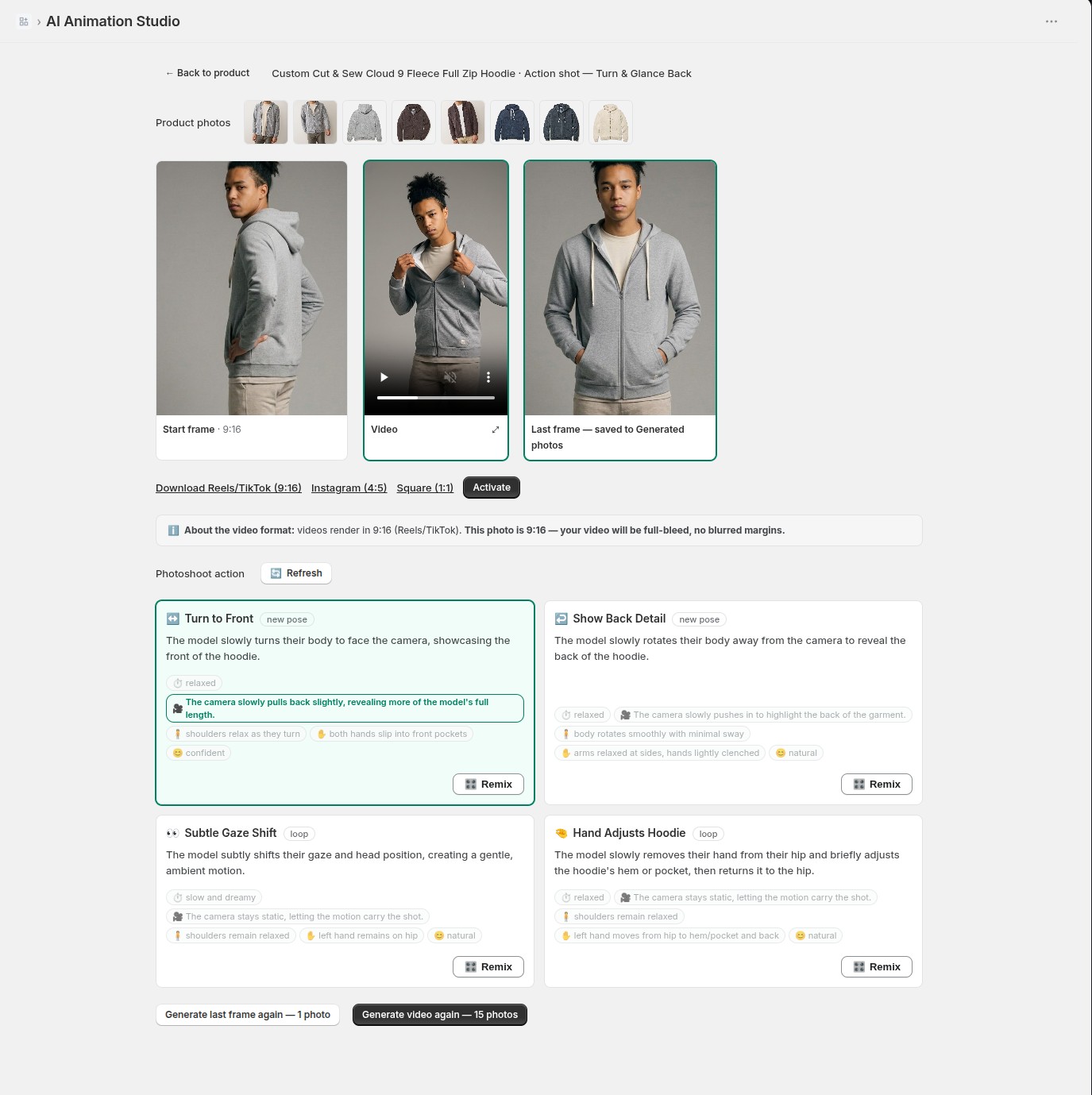
Every video starts on one page now. Open any generated photo, hit 🎬 Animate, and the AI Animation Studio lays the whole story out in front of you. 🎬
Top row: your product photos, so you see exactly what the Studio works from. Then the three frames that are your video — the start frame (with its ratio), the video itself, and the last frame. Below them, four photoshoot actions suggested for your photo, each with its own Remix.
The flow reads left to right: pick an action, generate the last frame (a regular photo, kept either way), and when the pair looks right — generate the video. It renders in 2–3 minutes and appears right between its frames, with Reels/TikTok, Instagram and Square downloads and an Activate button underneath. Inspect anything full-size with a click, crop without leaving the page, remix and go again.
No timeline, no editor, no exports to manage — a photoshoot that ends in motion.