CatalogShoot
What's new
New features and product updates — newest first.
July 20, 2026
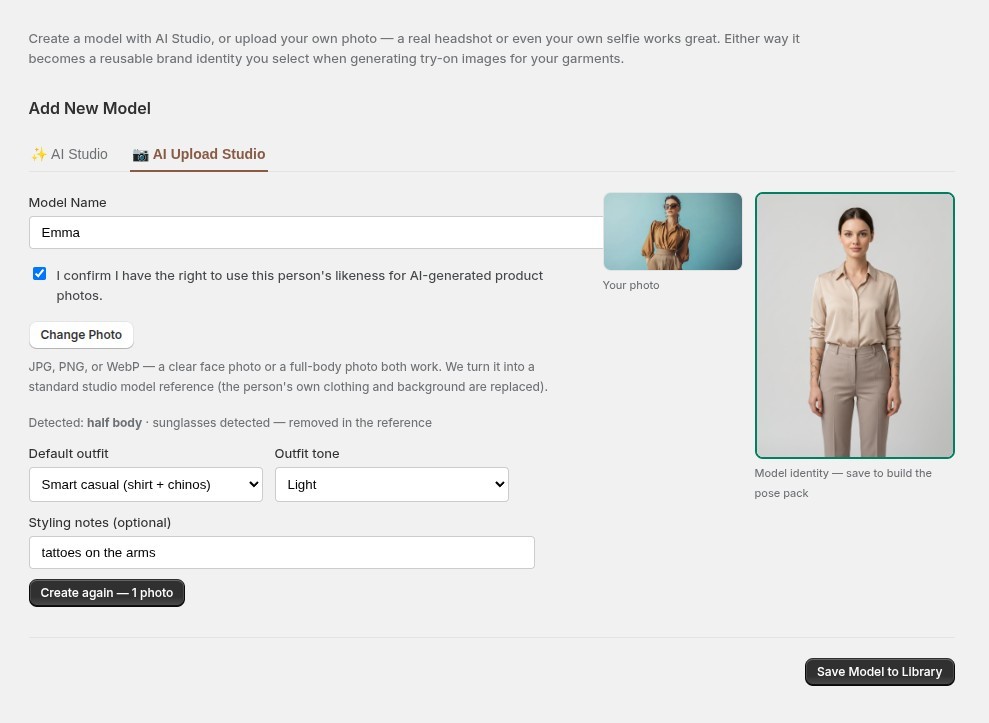
AI Upload Studio — turn any photo into a model identity
Upload a face photo or a full-body photo of your own model, and get a clean, reusable studio identity back — standard reference, your choice of outfit, pose pack included.
July 20, 2026
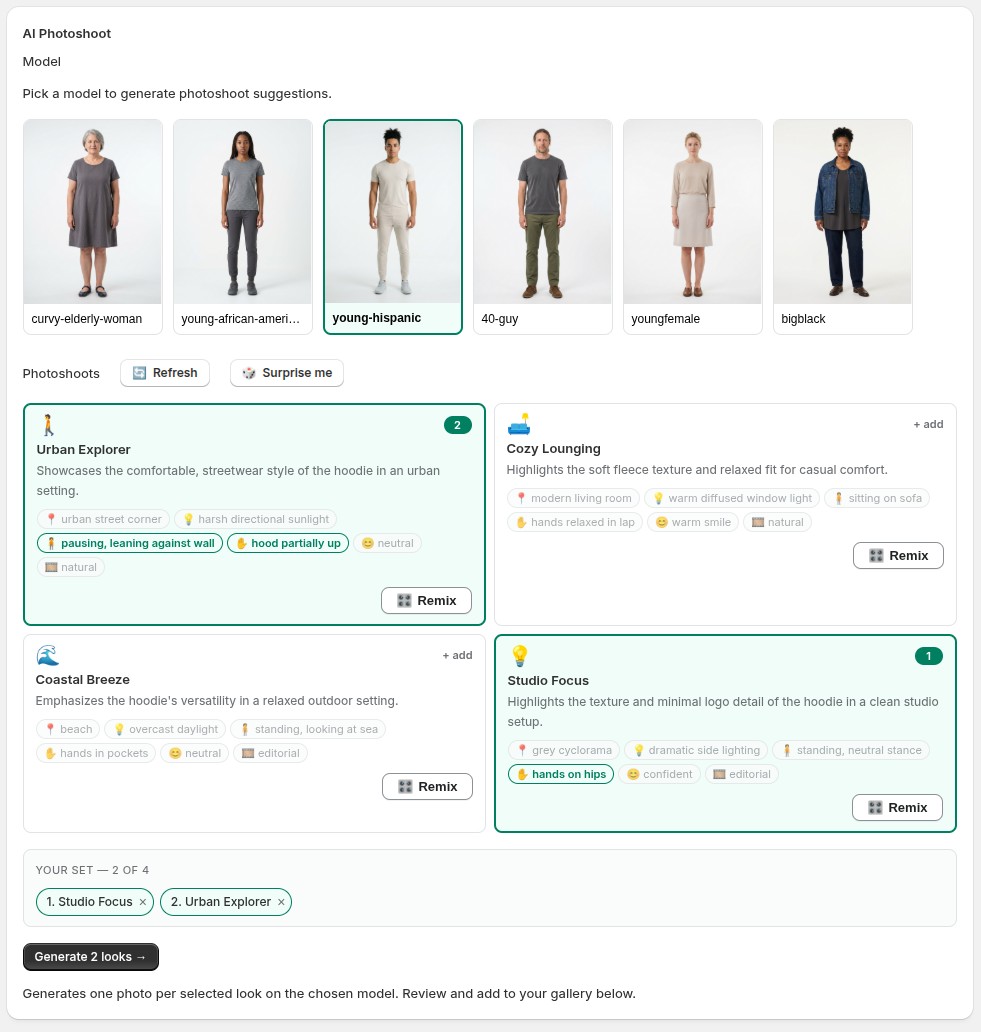
Photoshoots cast for your model
Pick a model first, and every photoshoot idea is cast for them — the settings, poses and energy a stylist would actually choose for that person.
July 20, 2026
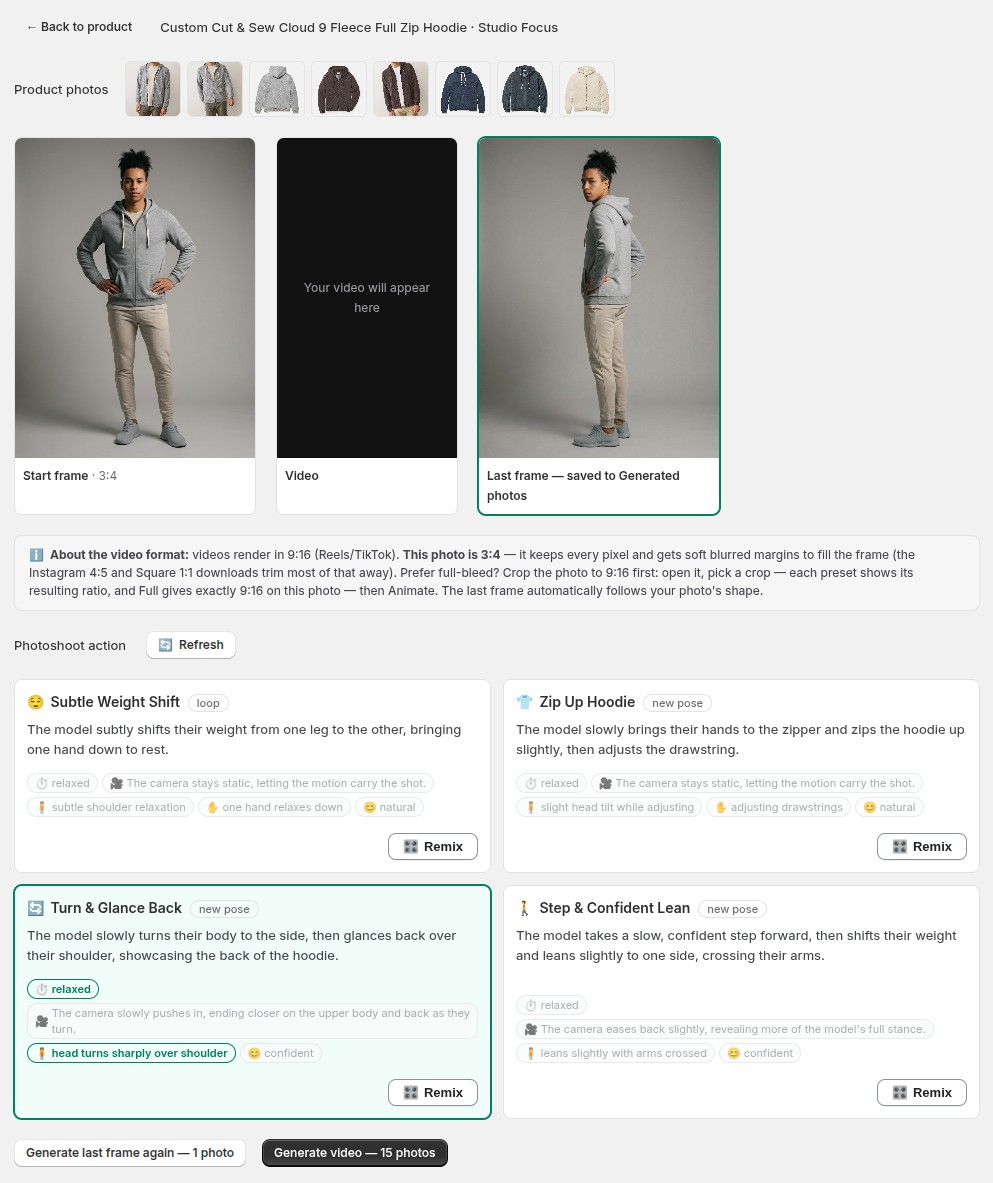
Show off the back of your garment — accurately
Back prints, plain backs, back details: motions that turn around now ground the last frame on your product gallery's real back view.
July 20, 2026
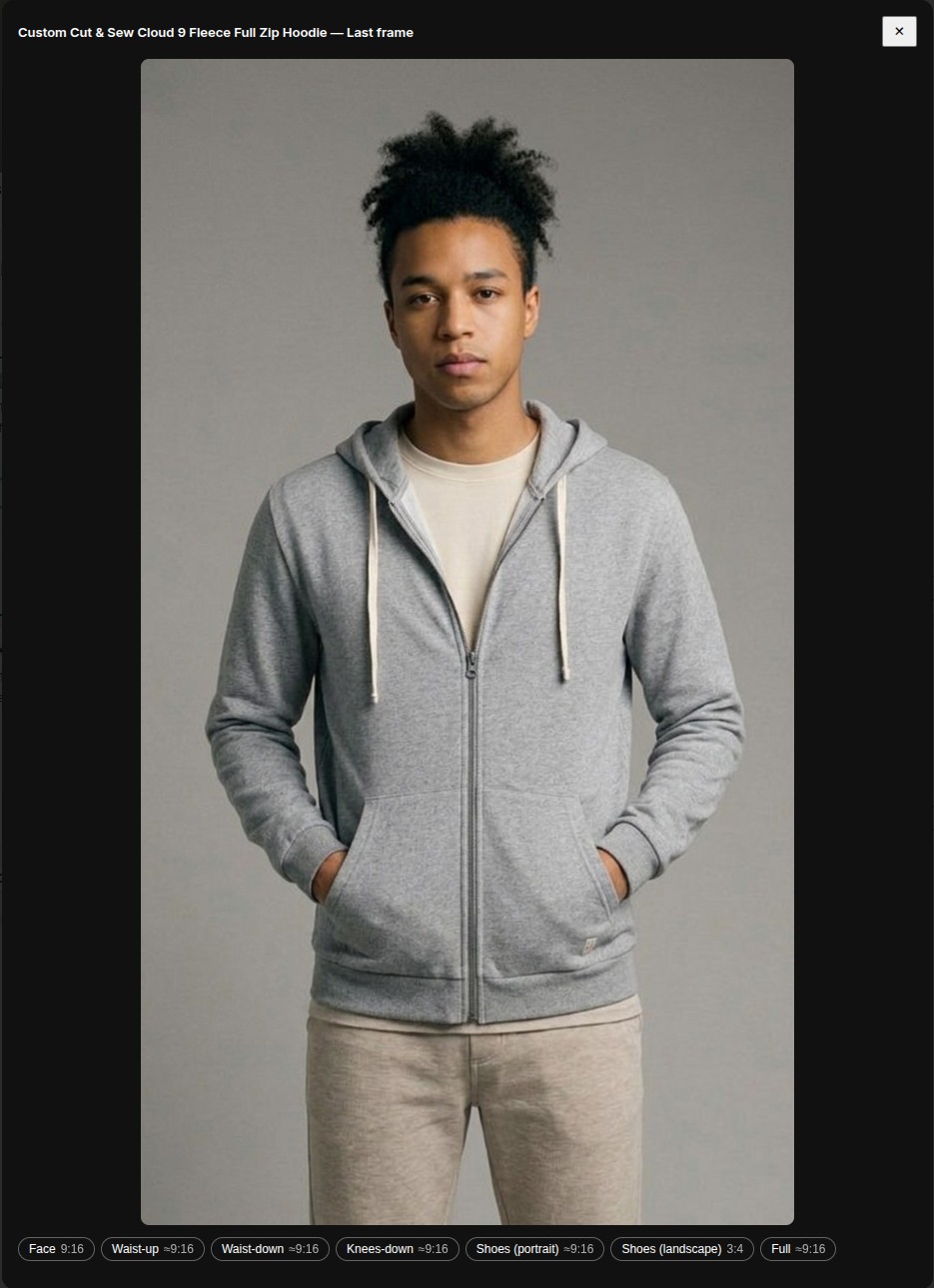
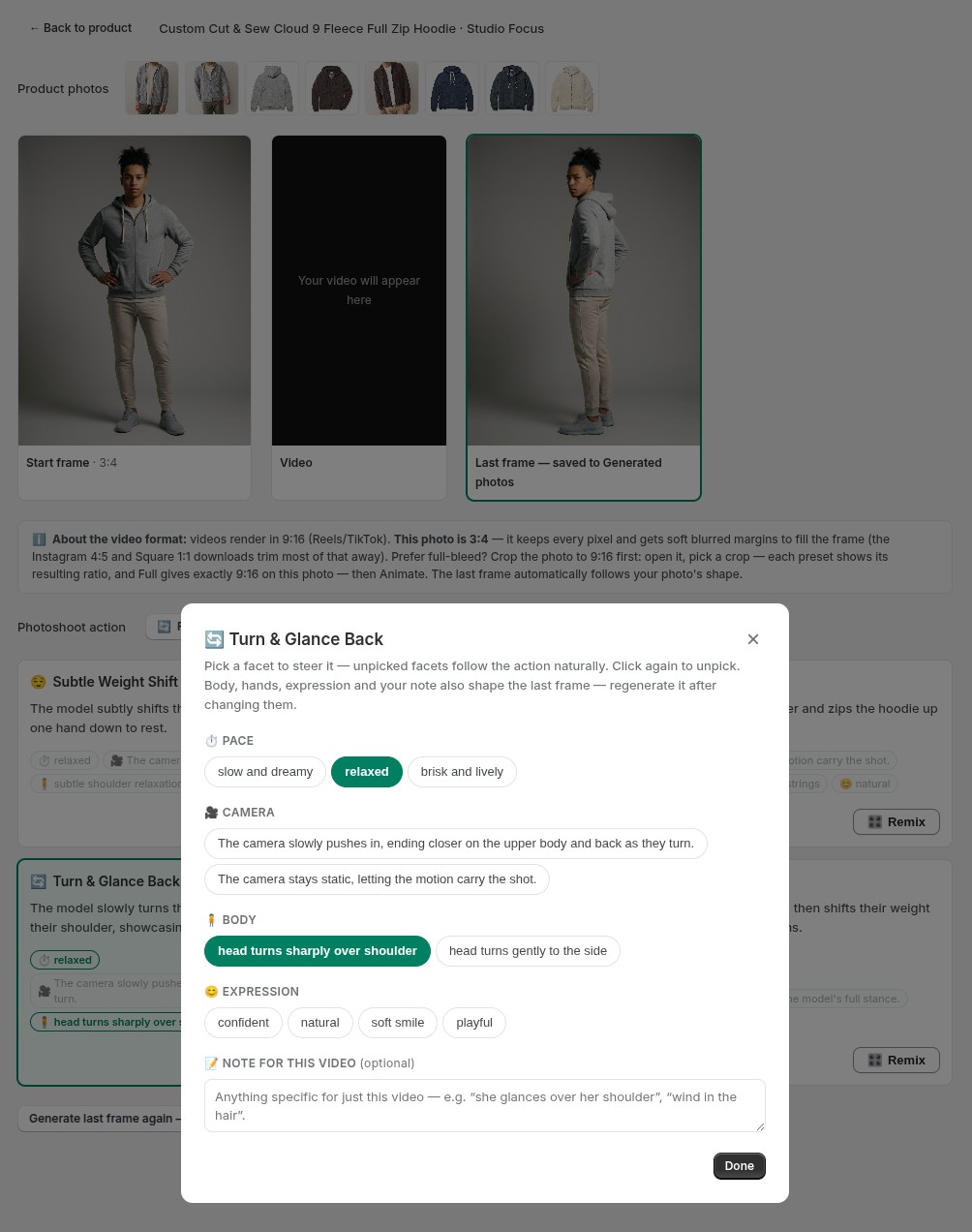
Full-bleed videos: know your ratio, crop to 9:16 first
The Studio now shows your photo's actual aspect ratio, every crop preset shows the ratio it produces, and a 9:16 start photo means a video with no blurred margins.
July 19, 2026
Remix a motion like a look
Video motions get the same Remix you know from photoshoots: pace, camera, body, hands and expression — plus a note for that one video.
July 19, 2026
AI Product Video — your photoshoot now moves
Turn any generated photo into a 6-second product video: pick a motion, approve the last frame, and get a Reels-ready 9:16 clip plus Instagram and Square crops.
July 18, 2026
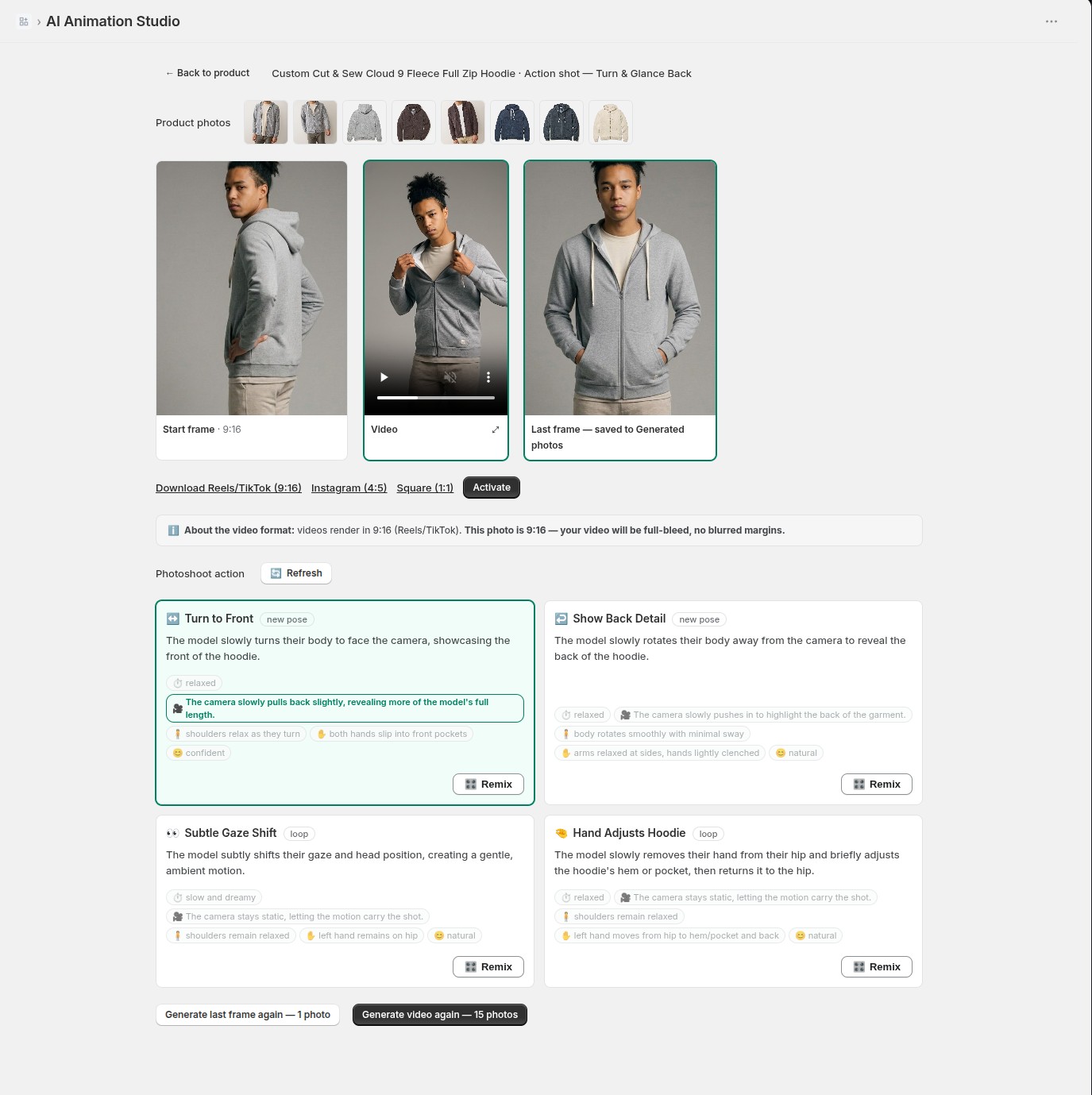
Meet the AI Animation Studio
One workspace for turning a photo into a product video: your product photos, the start frame, motion ideas, the last-frame checkpoint, and the finished video — all on one page.
July 16, 2026
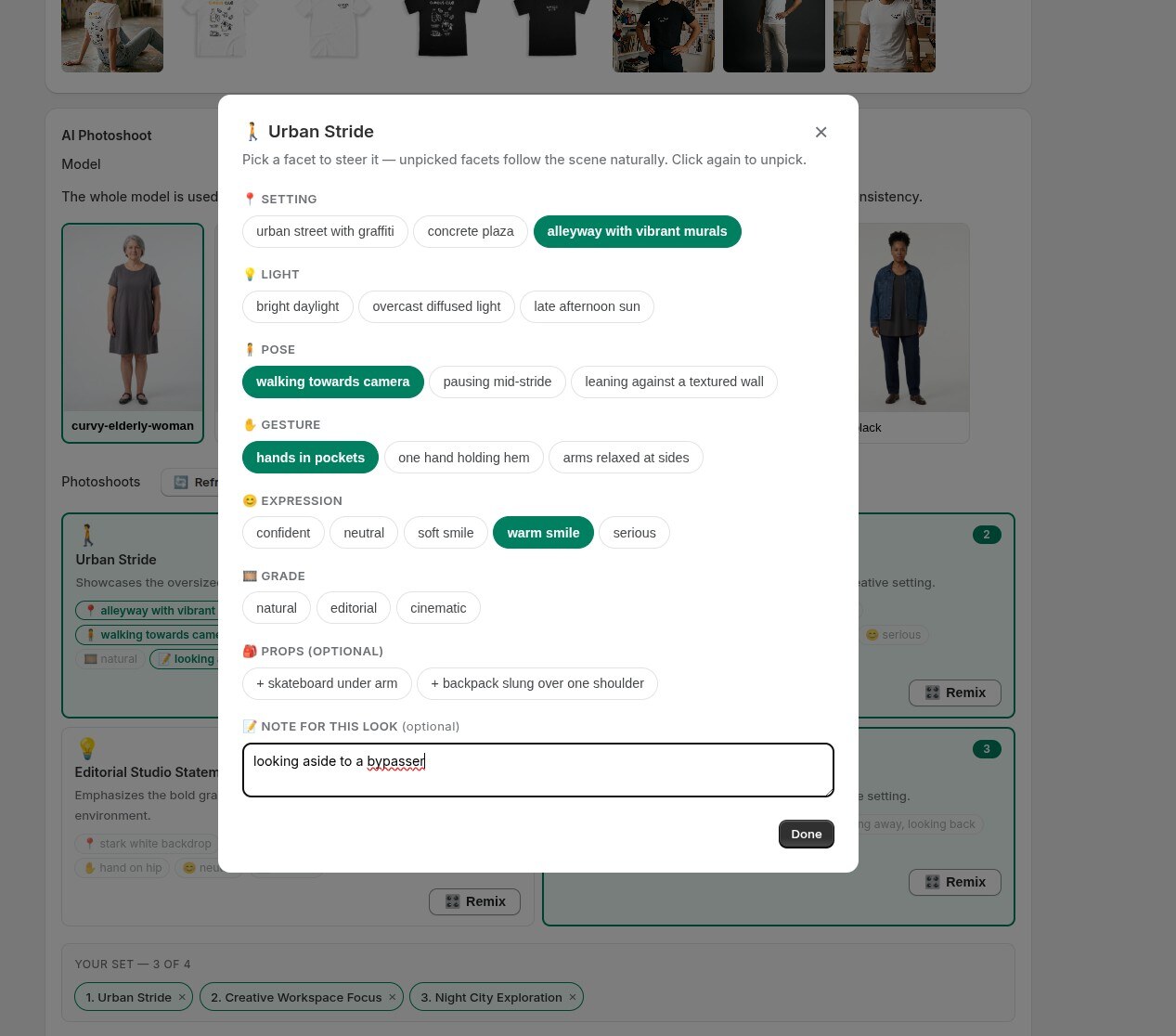
A note field for any single look
The Remix dialog now has an optional free-text note, scoped to just that one shot — for the specifics the chips don't cover.
July 13, 2026
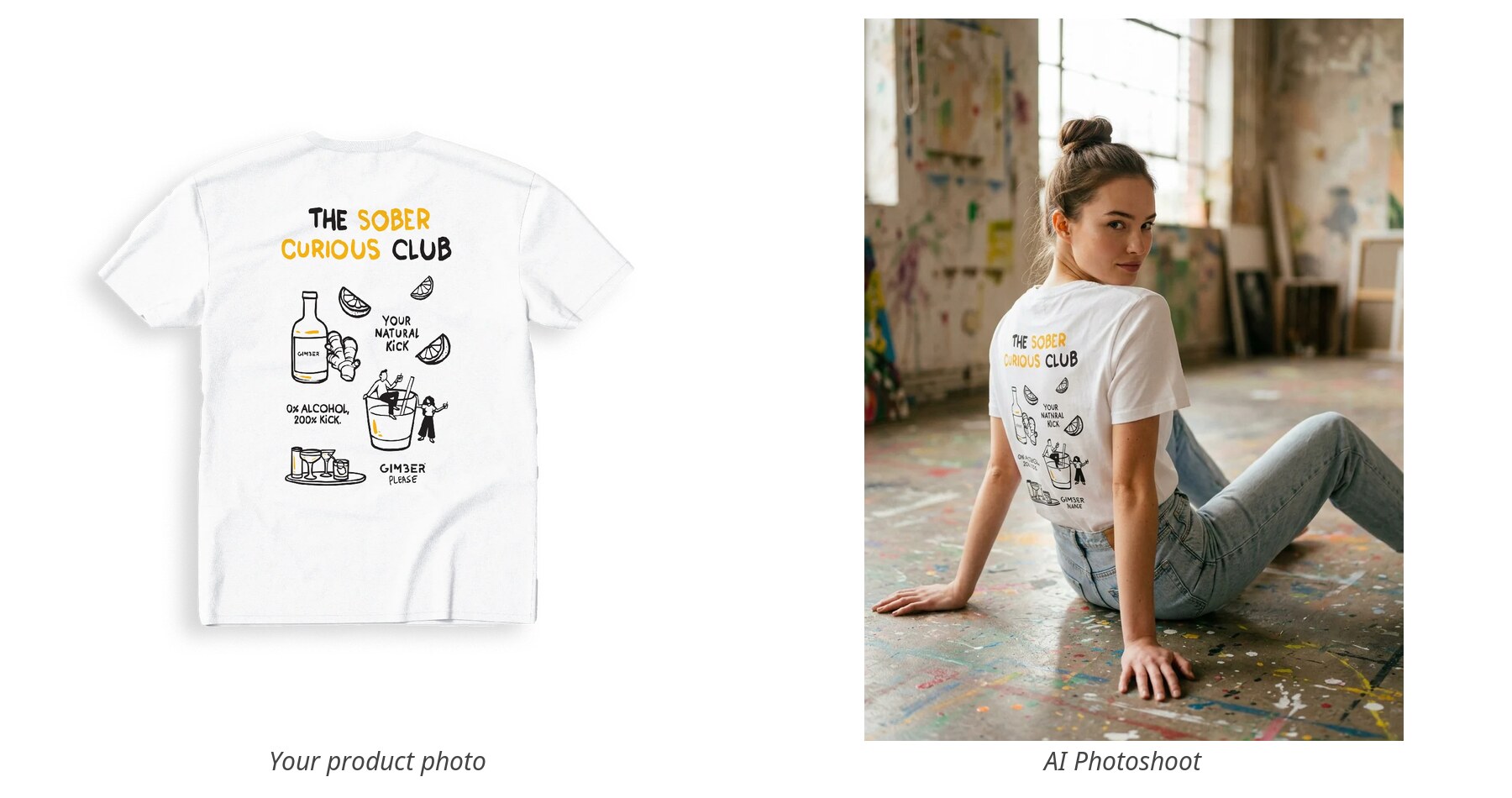
AI Photoshoots — your product on a real model, in a real scene
Pick a product and a model, and get a full editorial photoshoot back — your garment worn on a real-looking model in a real setting, not a flat cut-out.
July 13, 2026
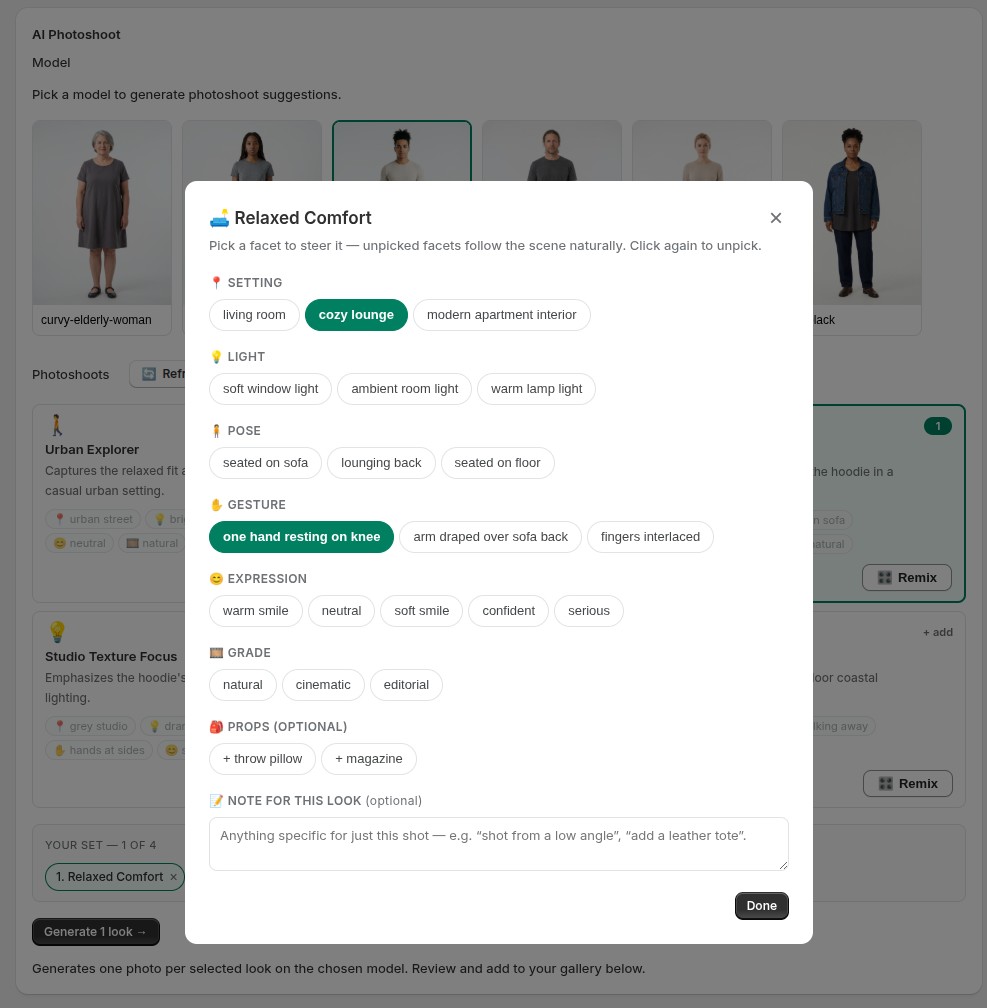
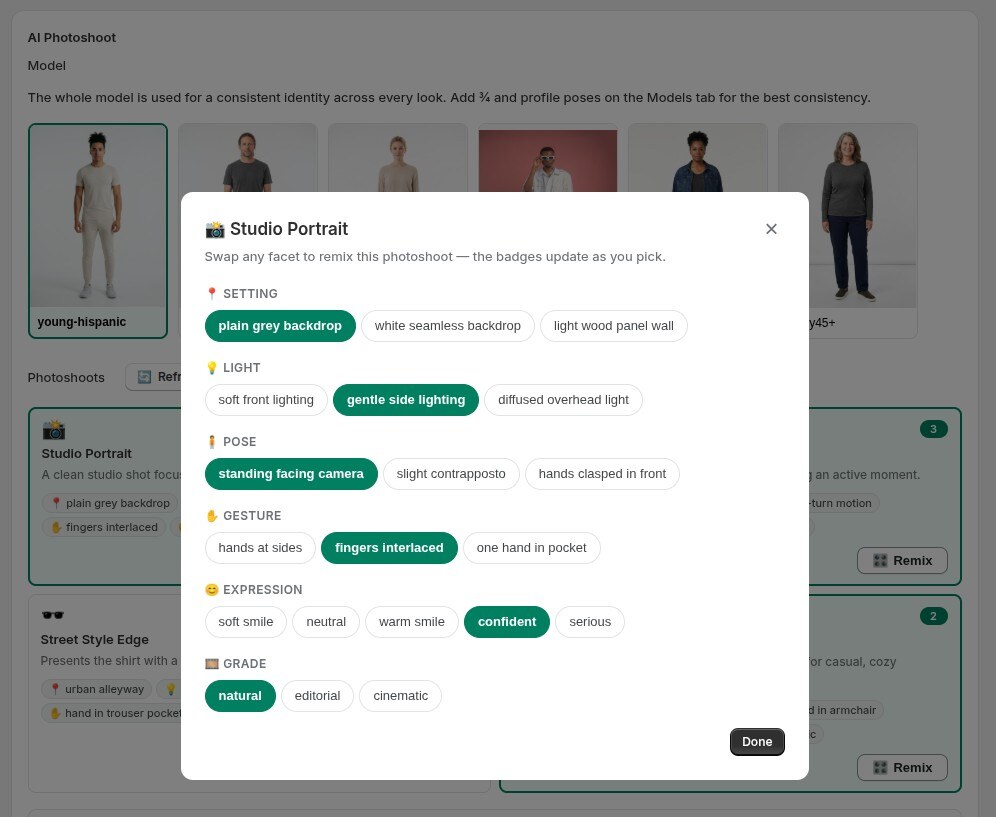
Remix any look — dial in the exact vibe
Every photoshoot idea is editable. Tap Remix and swap the setting, light, pose, gesture, expression or grade — each option tailored to that scene.
July 13, 2026
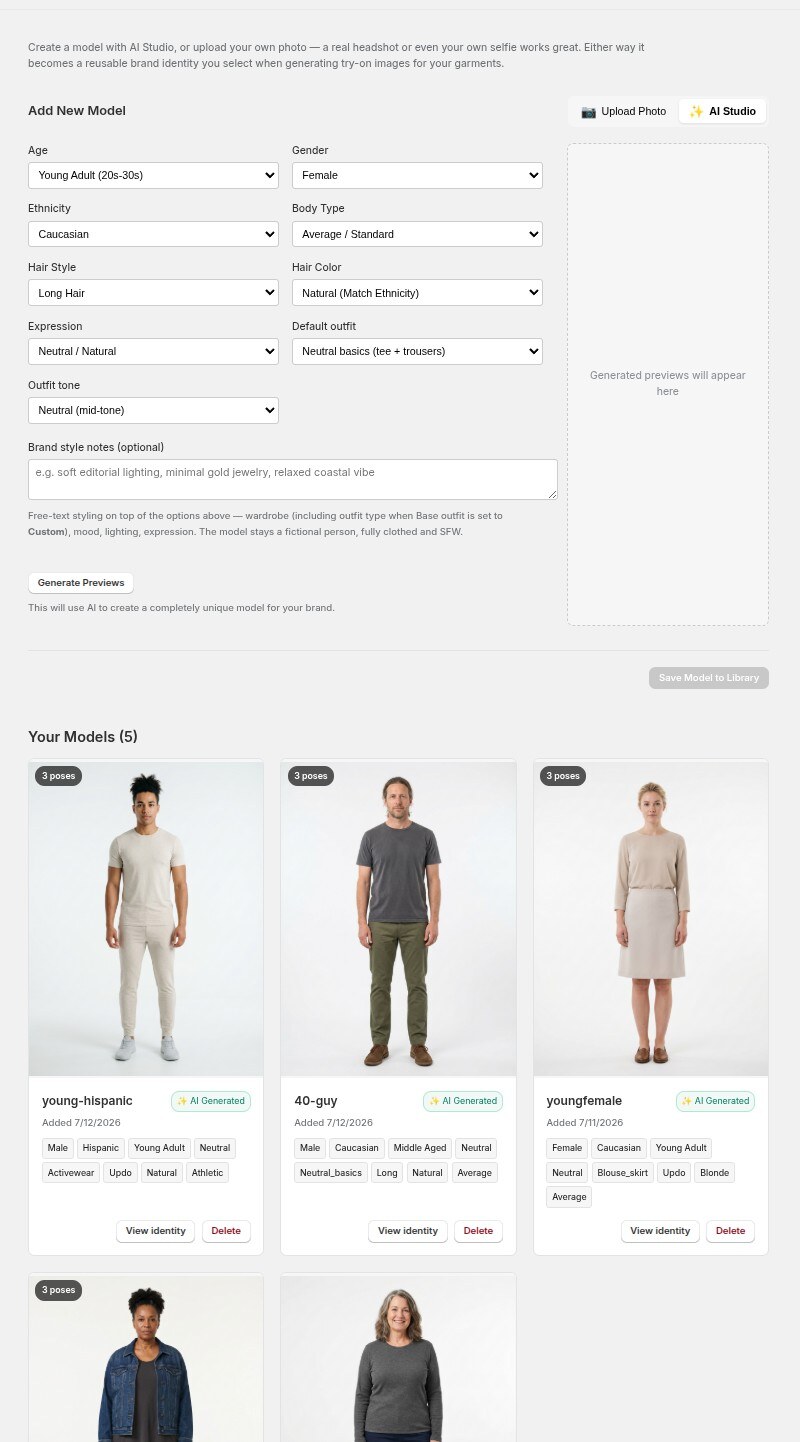
Build models that look like your customers
Create reusable models that fit your store — pick age, body type, ethnicity, hair and outfit, or upload your own photo. Each saves with a locked identity.
July 13, 2026
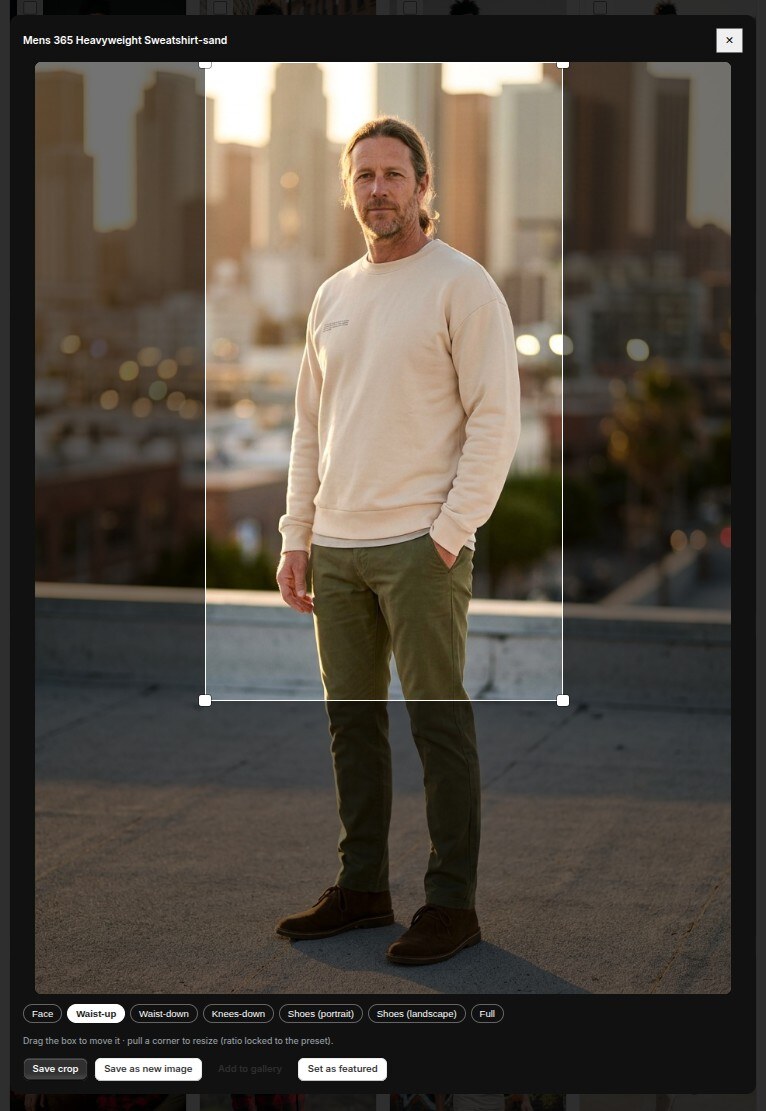
One photoshoot → every crop you need
Every generated photo comes with smart one-tap crops — face, waist-up, full-body, shoes — detected on that exact image, and fully adjustable.